
Spread: Recipe Book
Keep the recipes you love. Cook them step by step.
Spread is a recipe keeper for home cooks. Save recipes from websites with a link, keep the family favourites beside them, and cook one big step at a time, with timers a tap away and a screen that stays on.
 Coming 23 October
- iPhone
- iOS 26 or later
- Optimised for iPhone Duo
- Free for up to 25 recipes
Spread’s screens are in English. It saves and cooks recipes in any language, though its timers come from times written in English, such as “20 min”.
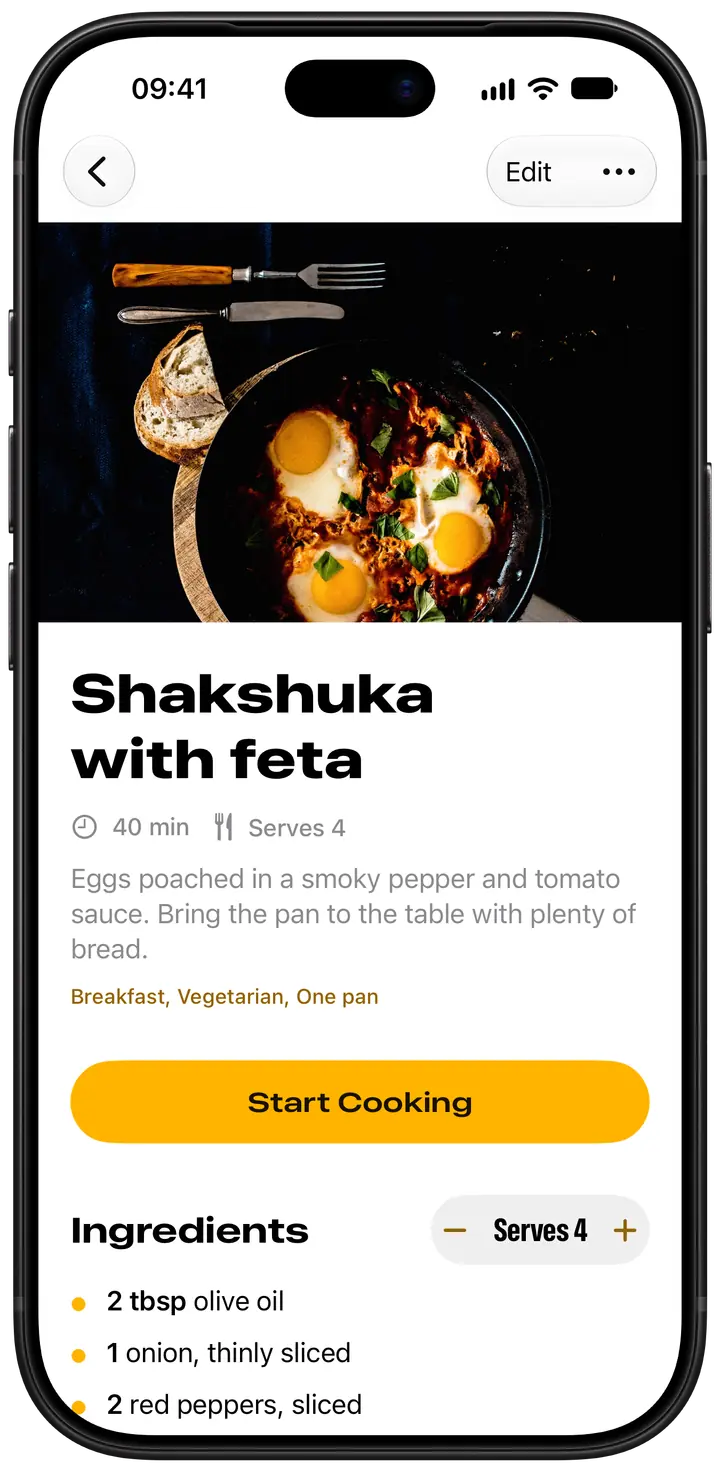
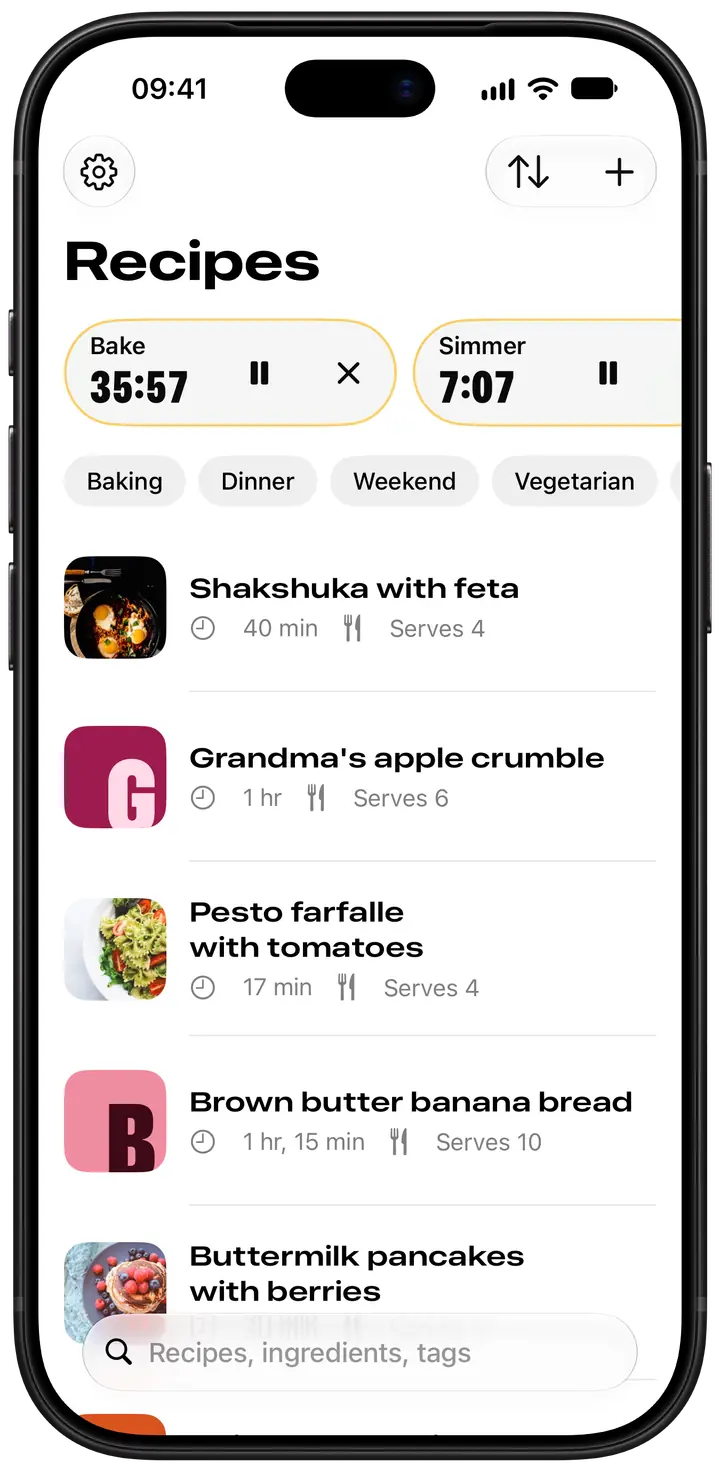
Find recipes by ingredient, tag or name
Type what needs using up, say “feta”, and every recipe with it appears. A recipe with no photo gets a pantry colour and a big initial, like the start of a chapter.
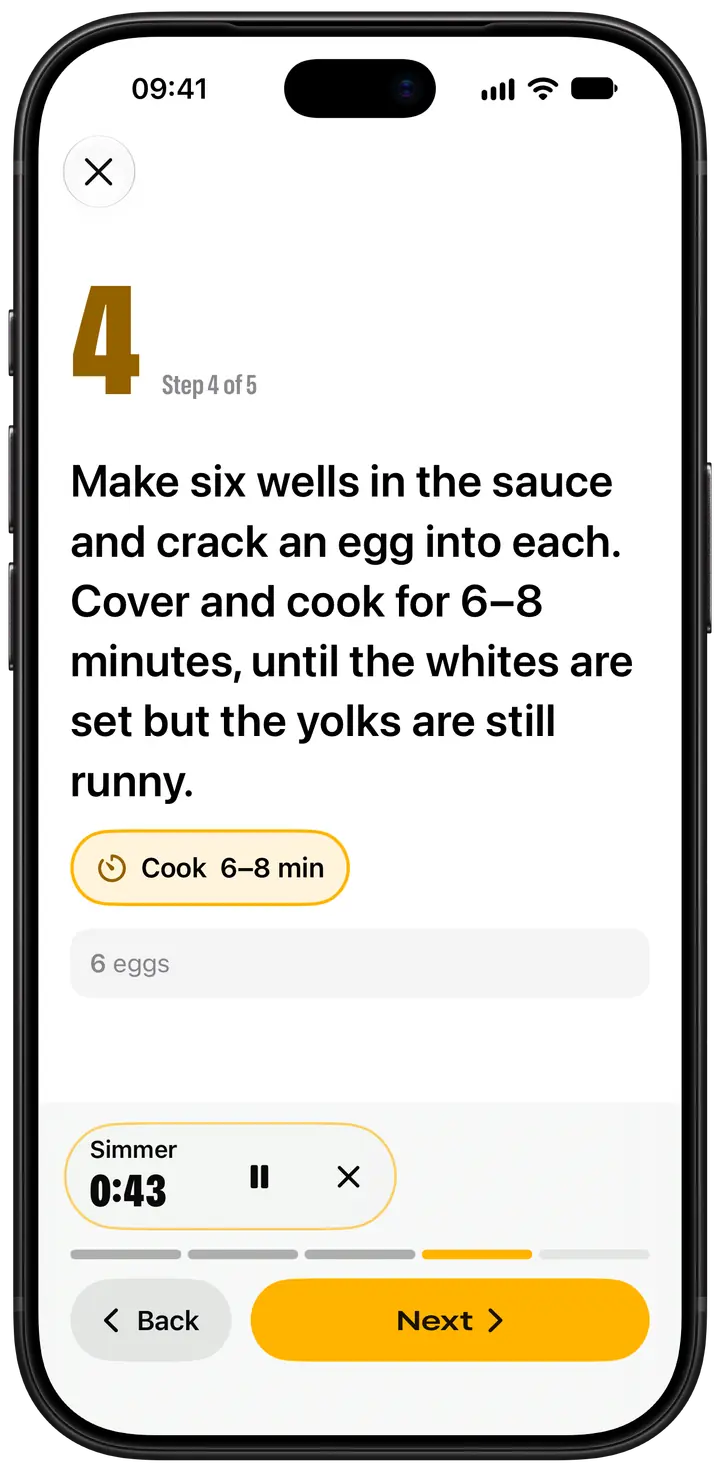
Cook mode: one big step at a time
Steps come in large type, and the screen stays on while you cook. Tap “Bake 50 min” in a step and a timer starts; it keeps going outside cook mode and lets you know when it’s done.
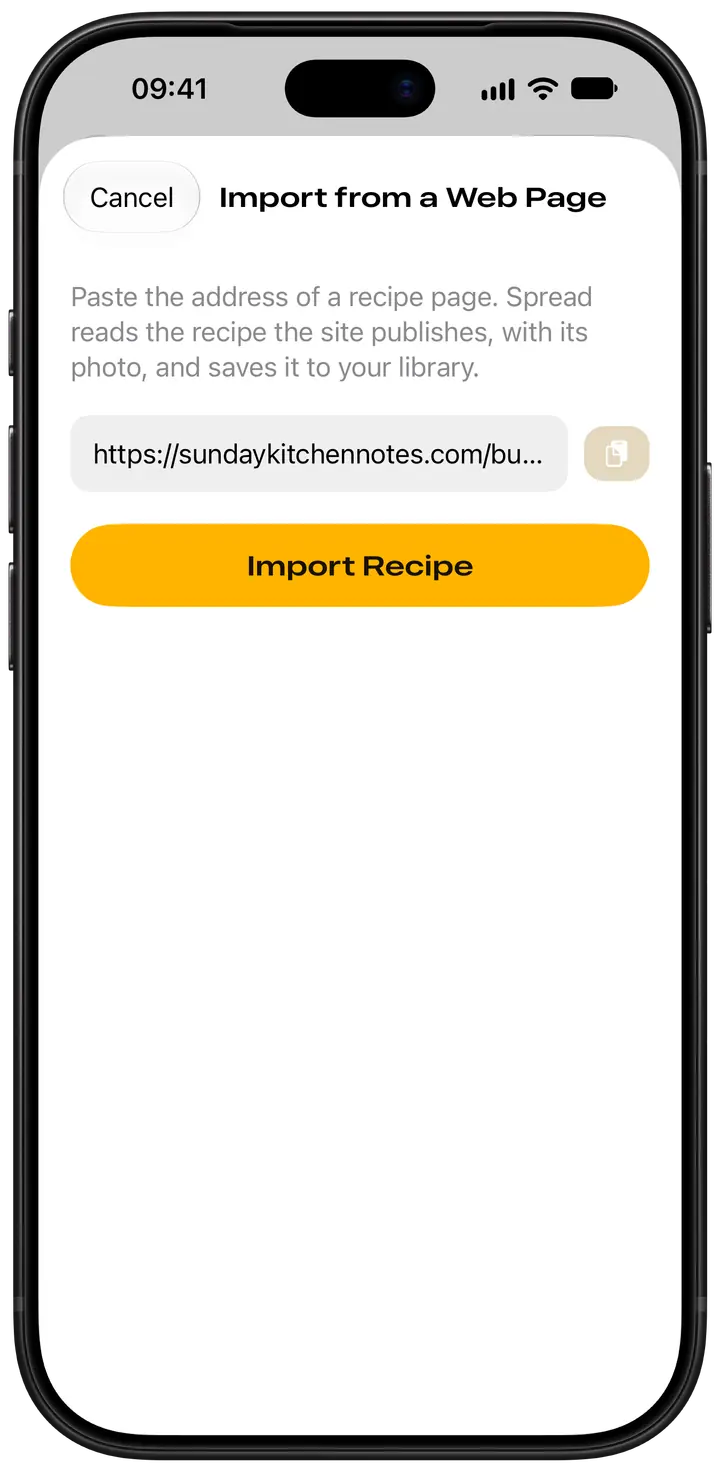
Save recipes from websites with a link
Paste a recipe page’s address: the recipe arrives with its photo, times, servings and a link back. Recipe in a message? Paste the text and Spread lays it out for you to check.
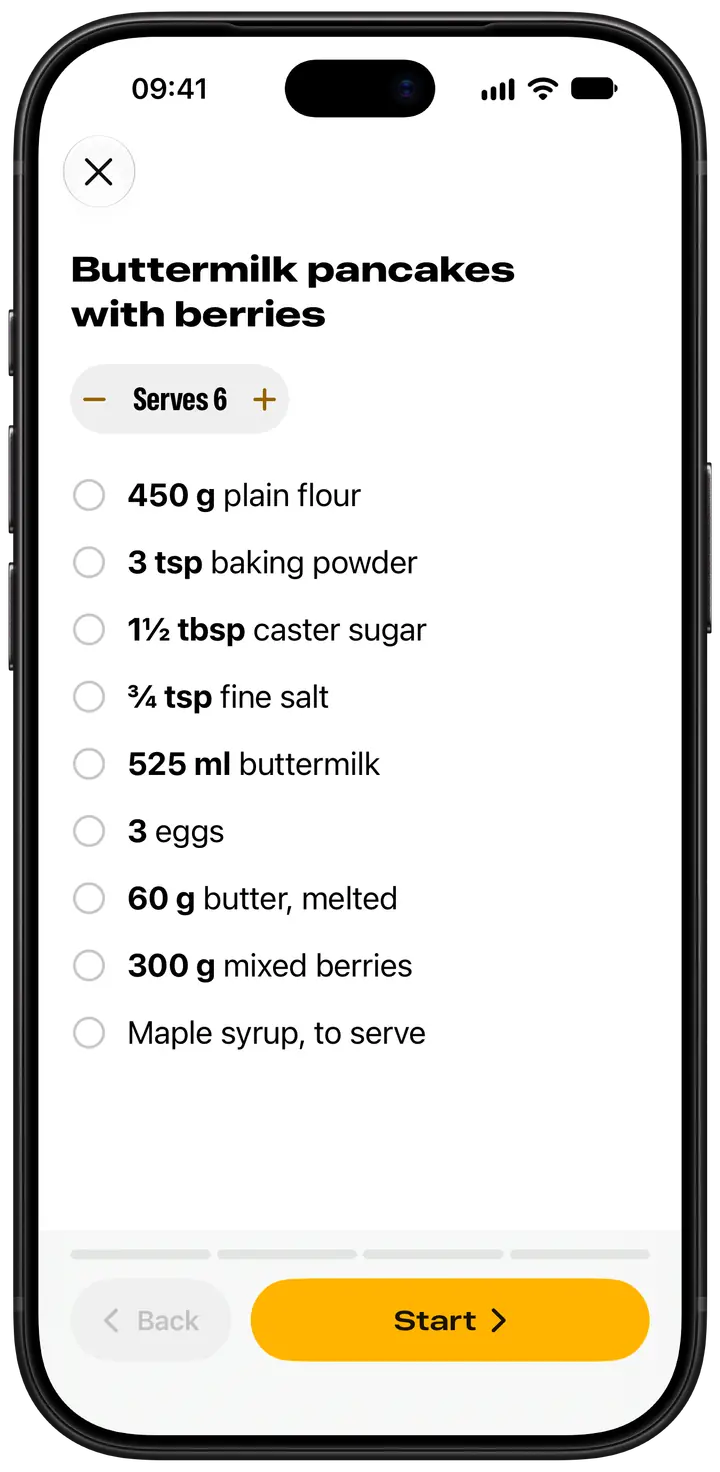
Recipe scaler: cook for two or for twelve
Change the servings and the amounts follow, fractions included: double up and ¾ tsp of salt becomes 1½. Tick off each ingredient as it comes out of the cupboard.
On iPhone Duo, it opens like a cookbook
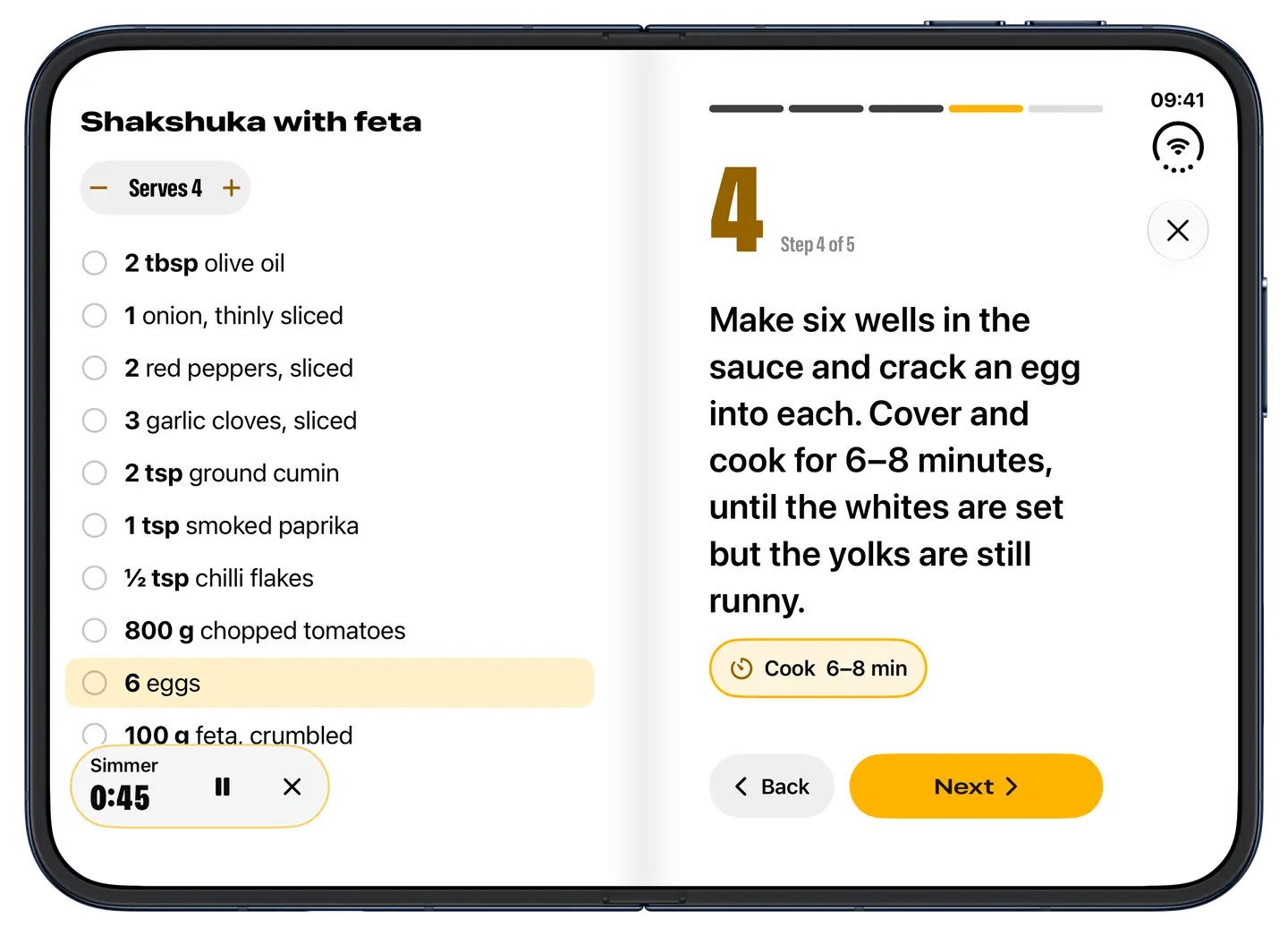
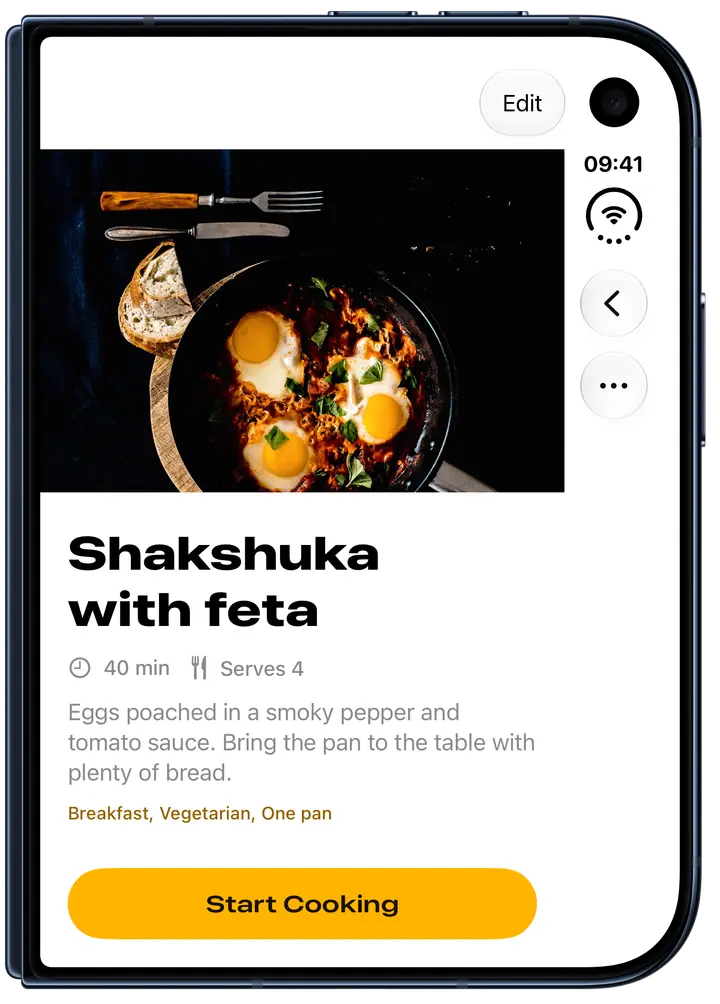
On the open iPhone Duo, Spread is a two-page book: your recipes down the left page and the one you picked on the right. In cook mode the ingredients fill the left page and the current step the right, with what that step uses picked out. Stand it half-open on the counter; close it mid-recipe and the cover display carries on from the same step.
Free for your first 25 recipes
Cook mode, timers, scaling and importing from the web are free, and stay free. Spread Pro adds unlimited recipes and Apple Intelligence import: on iPhone models that support it, Spread tidies messy pasted text into a recipe, privately on the device. Choose a monthly or yearly subscription, with a free trial on the yearly plan, or a one-time lifetime purchase. If a subscription ends, you keep every recipe; only adding more stops.
Prices in the UK
- Spread Pro£2.99 a month
- Spread Pro£19.99 a year
- Spread Pro£39.99 once
Your recipes stay on your iPhone
Recipes, photos and timers are kept on your iPhone, with no account to make, no ads and no tracking. Spread collects no data, and a recipe page you import comes straight from its site, never through us. See the privacy policy.
Questions
- How do I save recipes from websites on iPhone?
- In Spread, tap +, choose Import from a Web Page and paste the recipe page’s address. Spread reads the recipe details most recipe sites publish and saves the recipe with its photo, times and servings. No details on the page? Copy the recipe and use Paste Recipe Text.
- Is there a recipe app that keeps the screen on while you cook?
- Yes. Spread’s cook mode keeps the screen on until you leave it, so your iPhone won’t dim or lock while your hands are busy. Each step fills the screen in large type, and tapping a time in it, such as “Simmer 20 min”, starts a timer.
- Is there a recipe app with built-in cooking timers?
- Yes. Spread finds the times in a recipe’s steps: tap one and a timer starts, named for the step, such as Bake. Several can run at once, for the turkey, the potatoes and the gravy, and with notifications on they alert you even when Spread is closed.
- How do I scale a recipe up or down on iPhone?
- Open the recipe in Spread and change the servings with − and +. Every amount in the recipe follows, fractions included, so a dish for four becomes dinner for ten without the maths. It works in cook mode too, and scaling is free.
- Is there a free recipe organizer app for iPhone?
- Spread is free for up to 25 recipes, with cook mode, timers, scaling and web import included. Spread Pro removes the limit and adds Apple Intelligence import on iPhone models that support it. Pay monthly, yearly with a free trial, or once to keep it for good.
- How do I make a digital cookbook of family recipes?
- Type each recipe into Spread with a photo of the dish, tags and notes, or paste it from a message or an email. Tag them “Thanksgiving” or “Christmas” to find them in a tap each year. They’re kept on your iPhone and move to a new one with its backup.
Start your recipe book
Save tonight’s dinner from the web, add the dishes the family asks for every Christmas, and cook each one a clear step at a time, on iPhone and iPhone Duo.
Coming 23 OctoberMore from Canopus Labs
 Bifolio: Private JournalA private journal that opens like a book, encrypted on your iPhone before it syncs.
 Back Cover: Charades PartyThe word is on your forehead and everyone can see it but you. Guess it before time’s up.
 Fold & Play: BackgammonBackgammon, chess and draughts in one lacquered set. Play a friend, or play the computer.