Eyeline Teleprompter
Read your script without breaking eye contact.
Eyeline is a video teleprompter for iPhone. While the camera rolls, your script scrolls right by the lens, so you look your audience in the eye. Built for vloggers, UGC creators, podcasters, preachers, founders with a pitch and interviewers.
 Coming 23 October
- iPhone
- iOS 26 or later
- Optimised for iPhone Duo
- Free, with Eyeline Pro
Eyeline’s own words are in English, and your scripts can be in most languages.
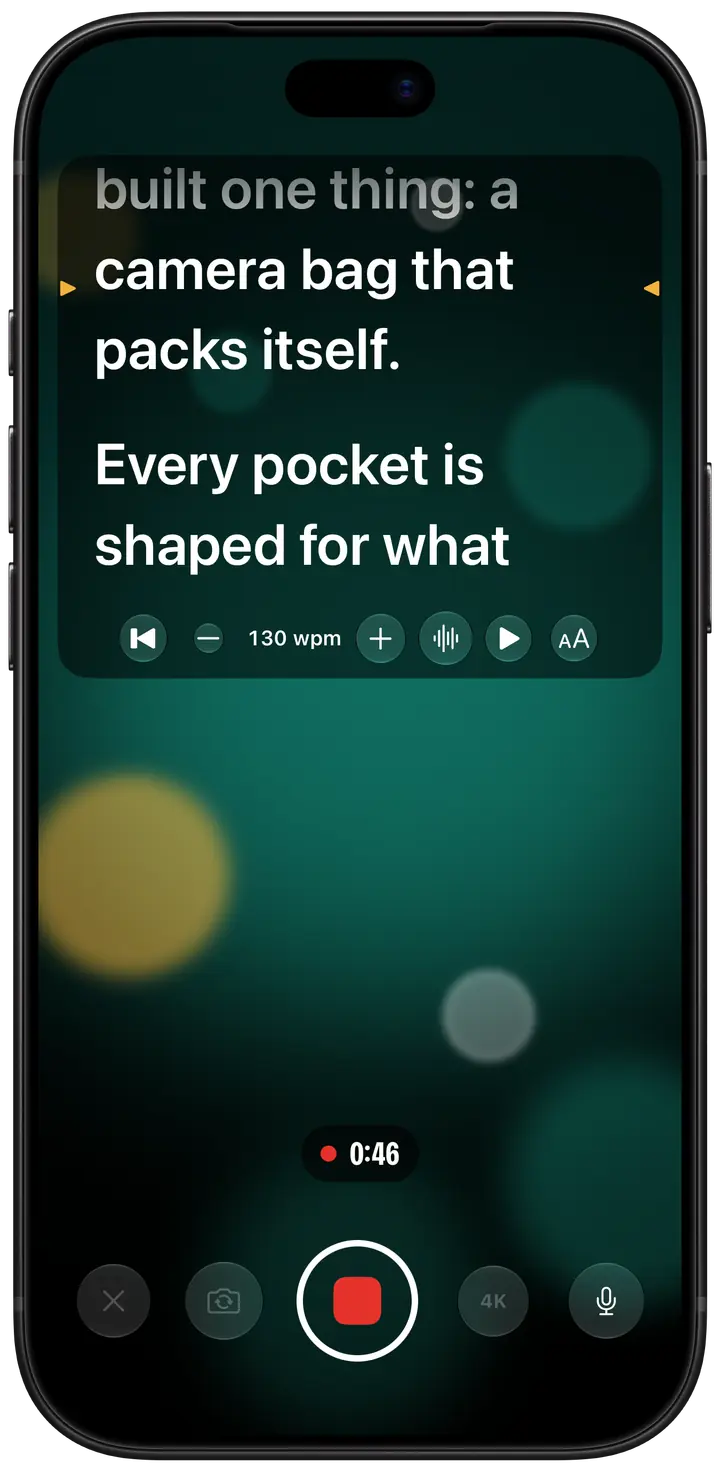
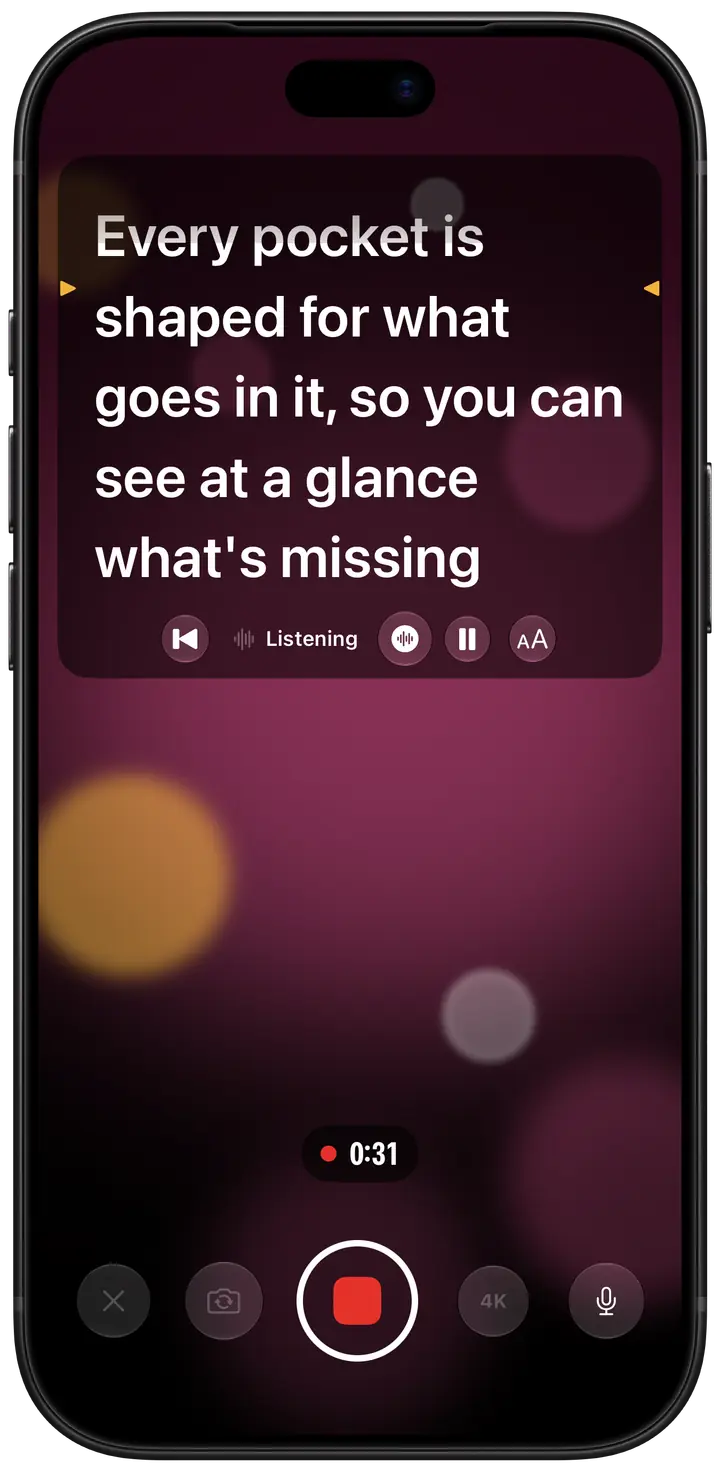
A teleprompter that follows your voice
Voice-follow listens as you read and moves the script with you: pause for breath and it holds, skip a line and it catches up. Your speech is recognised on the iPhone itself, never uploaded. Part of Eyeline Pro.
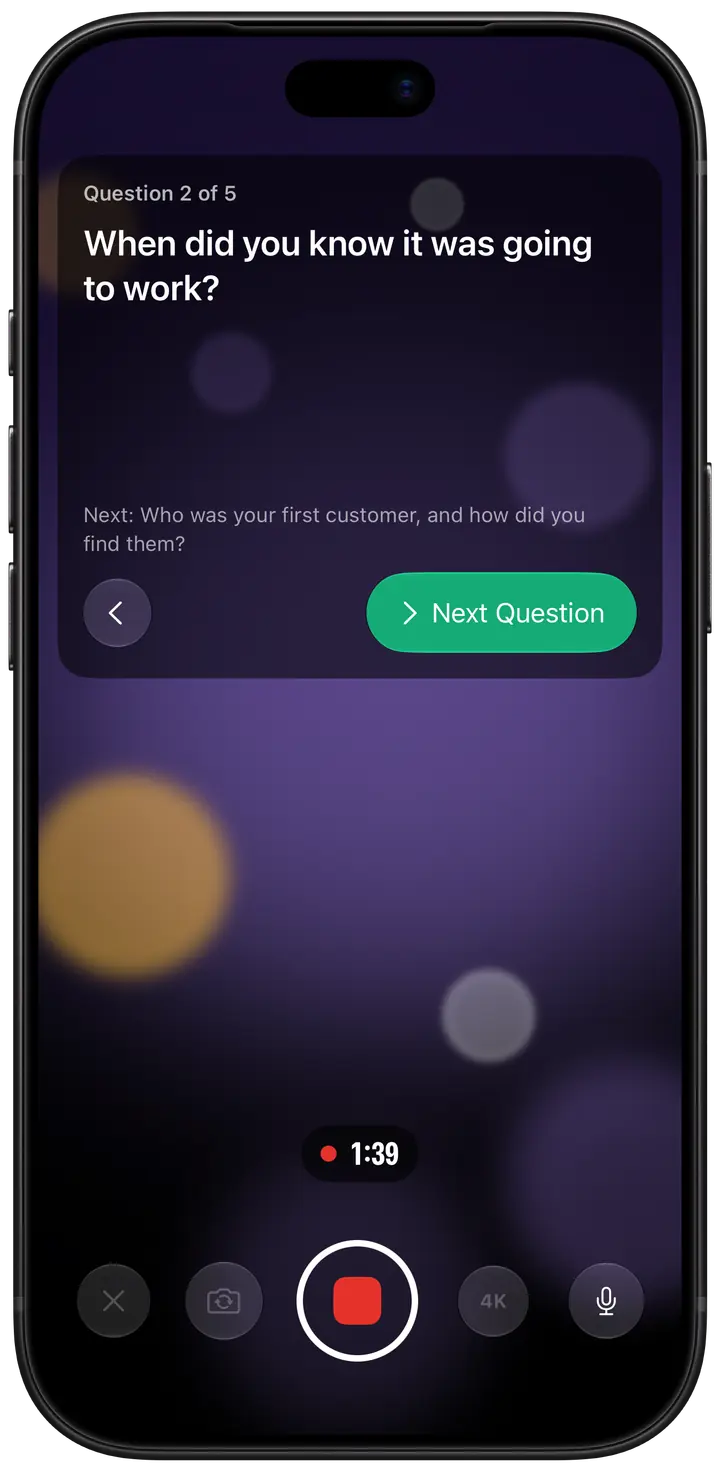
Interview mode: one question at a time
Put one question on each line and interview mode shows them in turn as you film, with the next one waiting below. Move on with a tap or a clicker, at your guest’s pace. Part of Eyeline Pro.
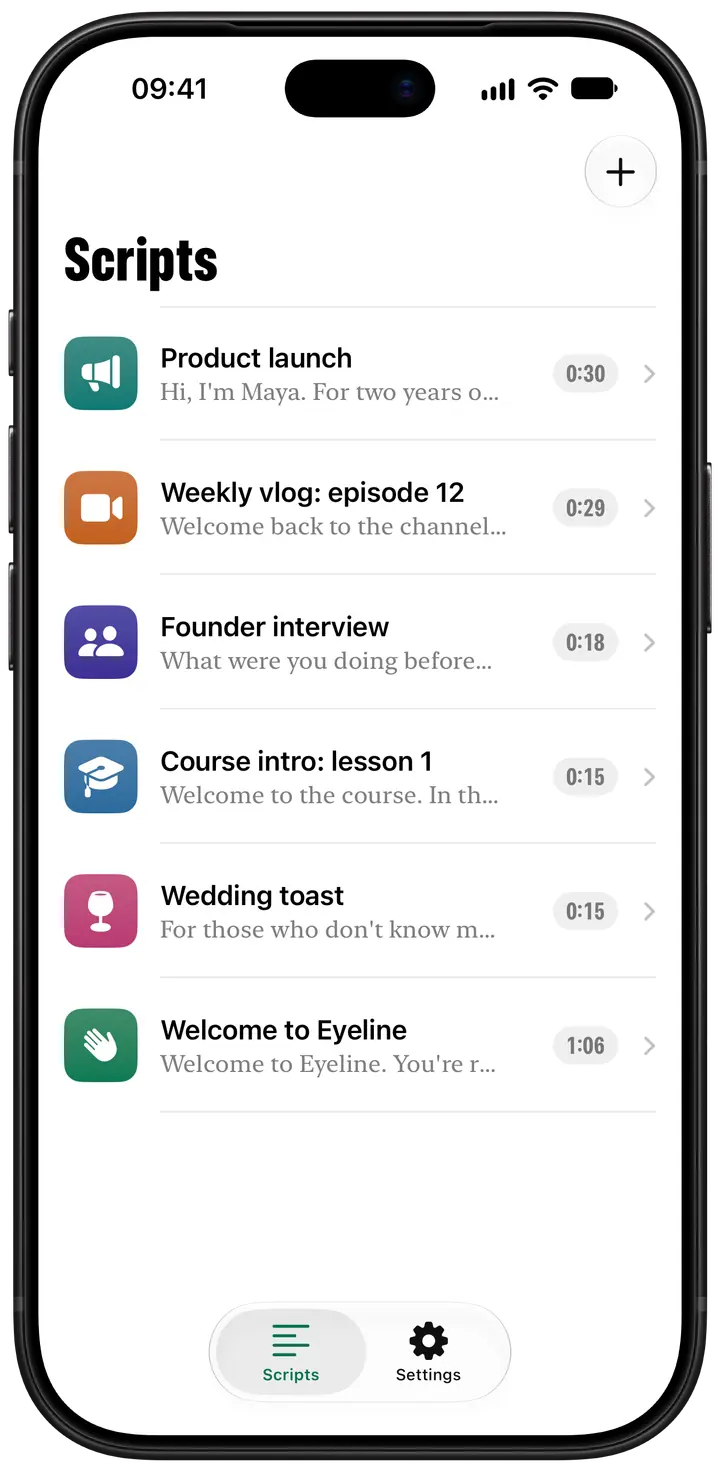
Write, paste or import your scripts
Write in Eyeline, paste from anywhere, or import .txt and .md files. Each script shows how long it runs at your reading speed, so you know a take’s length before you roll. Scripts can be in most languages.
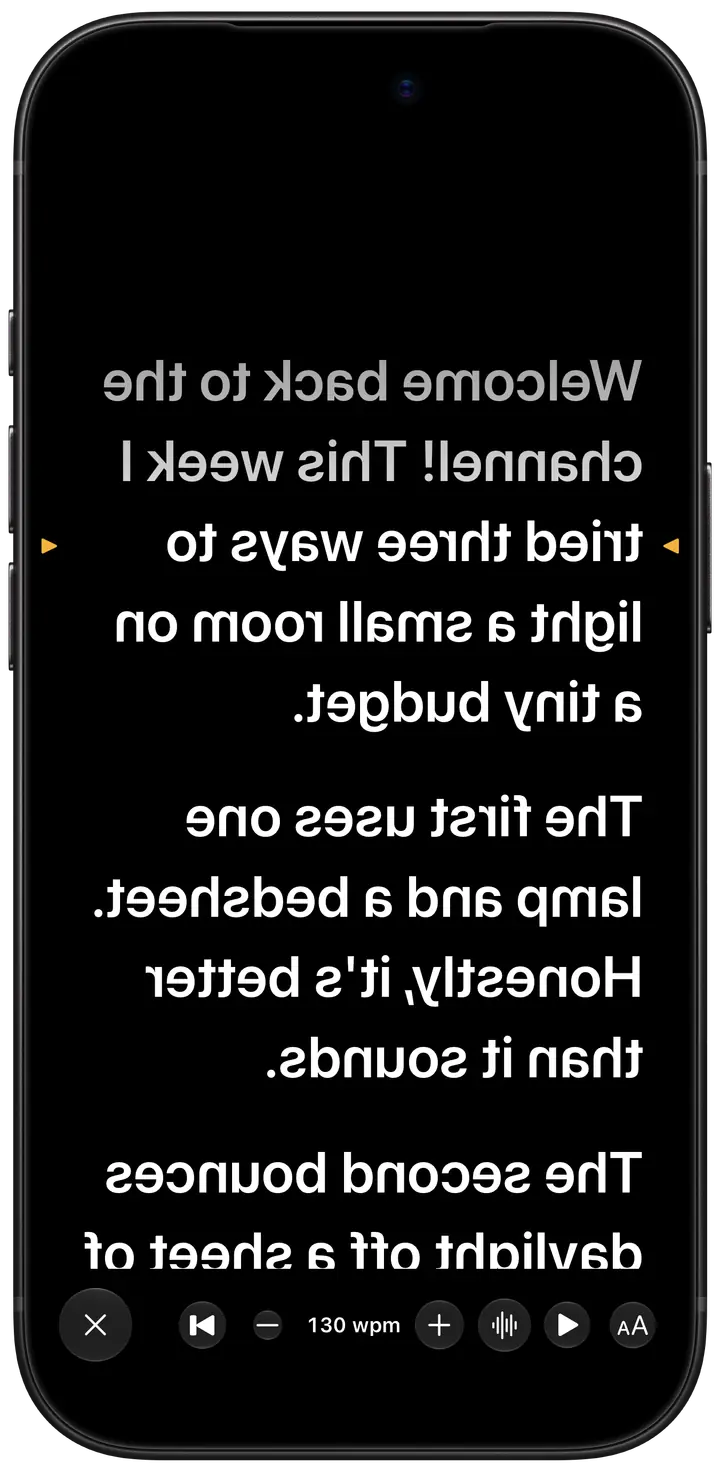
Mirrored for a beam-splitter rig
Prompt mode drops the camera and fills the screen with your words, mirrored if your rig’s glass needs it. Set the pace from 60 to 260 words a minute, tap to pause, or drive it from a Bluetooth clicker.
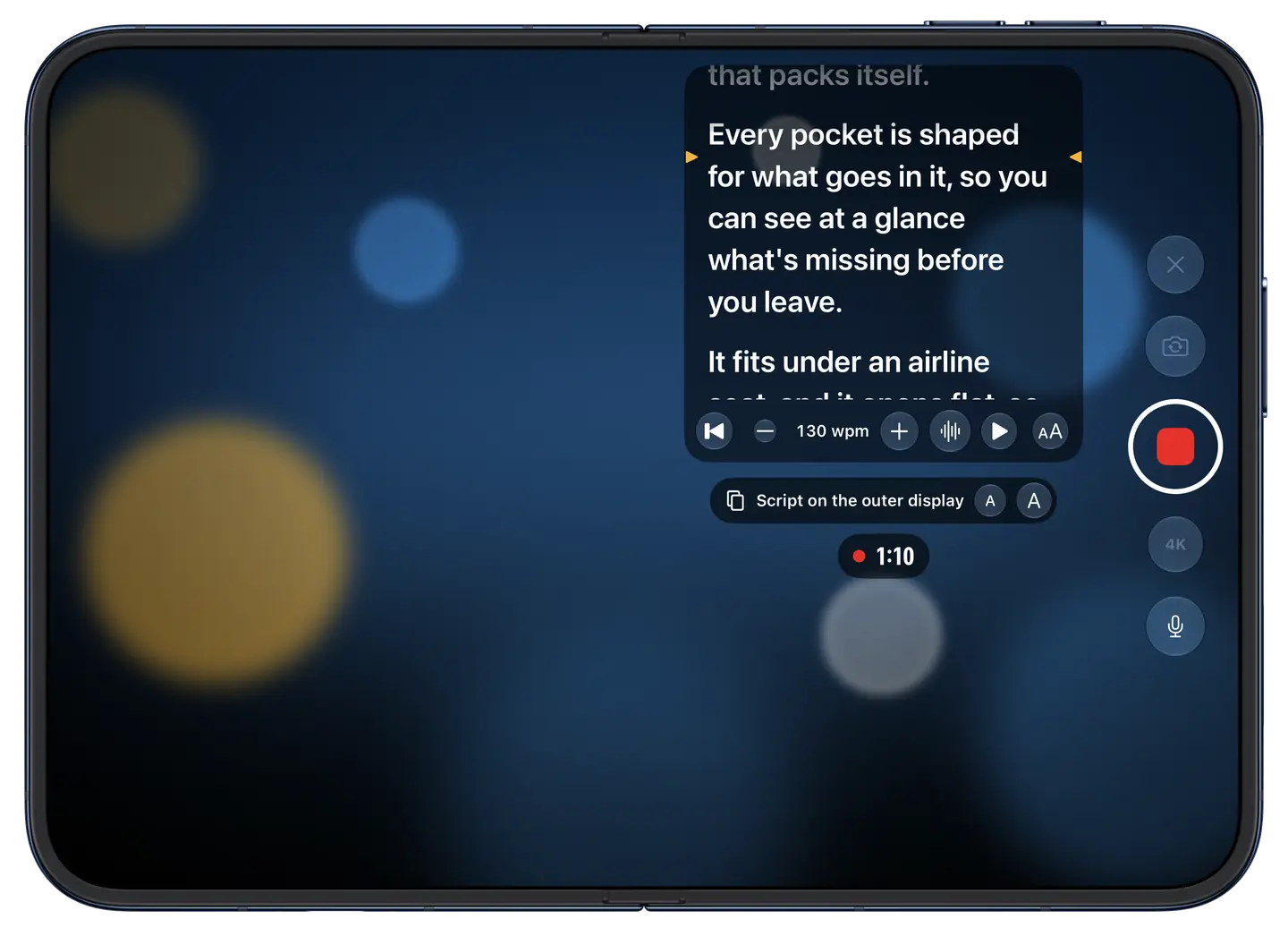
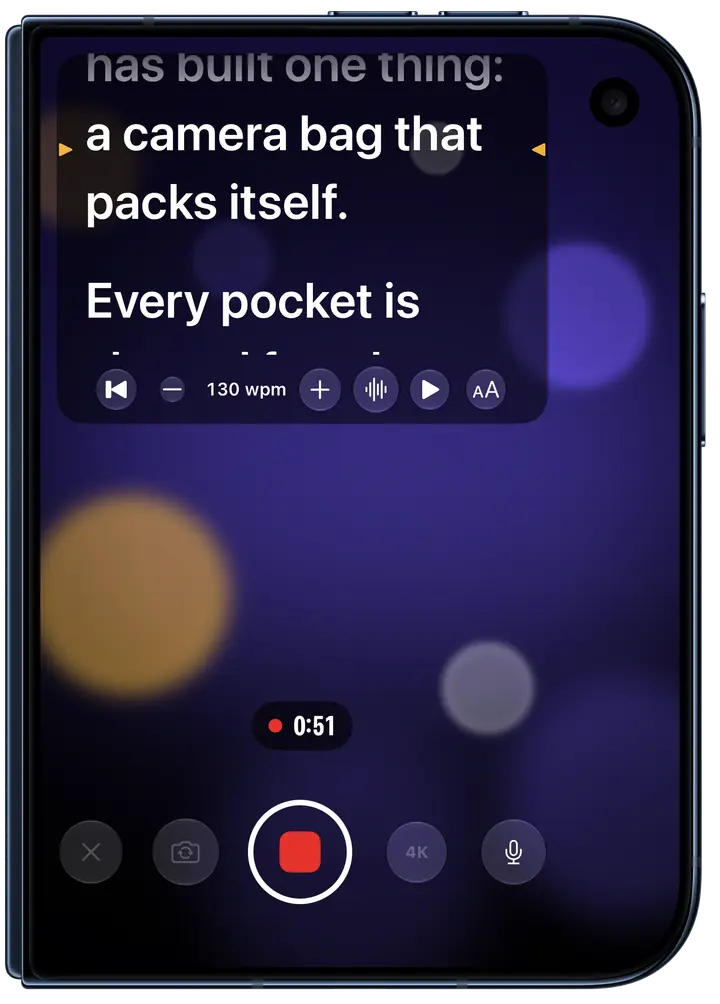
On iPhone Duo, read beside the main camera
Open iPhone Duo and its outer display faces the same way as the main camera. Film with that camera and Eyeline puts your script on the outer display, right by the lens, so you get the main camera’s picture and real eye contact. In interview mode, your guest reads each question there instead. The outer-display prompter and interview mode are part of Eyeline Pro.
What’s free, and what Pro adds
Eyeline’s prompter is free: both cameras at 1080p, clips up to a minute, Prompt mode with mirroring, remotes and your script library. Eyeline Pro adds voice-follow, interview mode, 4K, clips of any length and the outer-display prompter on iPhone Duo. Pro comes as a monthly or yearly subscription, the yearly with a one-week free trial, or as a one-time lifetime purchase.
Prices in the UK
- Eyeline Pro£4.99 a month
- Eyeline Pro£29.99 a year
- Eyeline Pro£59.99 once
Scripts and speech stay on your iPhone
Eyeline collects no data: no account, no ads, no tracking. Your scripts stay on your iPhone, and voice-follow recognises speech on the device and keeps none of it. The details are in the privacy policy.
Questions
- How do I read a script while recording on iPhone?
- Use a teleprompter app such as Eyeline. Open a script and tap Record: after a short countdown, the camera rolls and the words scroll just under the front camera at your pace. Tap them to pause, drag them to find your place, and each take is saved to Photos. Free clips run up to a minute.
- How do I keep eye contact when reading a script on camera?
- Keep the words as close to the lens as you can. Eyeline scrolls your script at the top of the screen, just under the front camera, with amber marks on the line to read, so your eyes barely leave the lens. On iPhone Duo, Eyeline Pro can put the script beside the main camera instead.
- Can a teleprompter follow my voice?
- Yes. With Eyeline Pro, voice-follow makes Eyeline a voice-activated teleprompter: it listens as you read and keeps your place, waiting through pauses and catching up if you skip ahead. Recognition runs on your iPhone, and nothing is uploaded. If it can’t listen, the script scrolls at your set speed.
- Does Eyeline work with a Bluetooth remote?
- Yes. Bluetooth presentation clickers, page turners and keyboards play and pause the script, nudge it and jump a paragraph at a time. While the camera runs, a volume button, Camera Control or a press on your AirPods stem (where available) starts and stops the take. Remotes work without Pro.
- Can I use Eyeline with a beam-splitter teleprompter rig?
- Yes. Prompt mode turns your iPhone into the rig’s display: just your words, full screen, while your camera films through the glass. Mirror them in Eyeline’s Settings, under Voice, Speed and Text, so they read the right way round. Set any pace from 60 to 260 words a minute. Prompt mode and mirroring are free.
- Is there a free teleprompter app for iPhone?
- Yes: Eyeline is free to download, and its prompter is free to use, with both cameras at 1080p, clips up to a minute, Prompt mode with mirroring, remotes and the script library. Eyeline Pro adds voice-follow, interview mode, 4K, clips of any length and the outer-display prompter on iPhone Duo.
Your next take, eyes on the lens
Paste in a script, tap Record and read it right by the lens. The prompter is free; Eyeline Pro adds voice-follow, 4K and takes of any length.
Coming 23 OctoberMore from Canopus Labs
 Bifolio: Private JournalA private journal that opens like a book, encrypted on your iPhone before it syncs.
 Spread: Recipe BookSave recipes from the web, then cook one big, clear step at a time, with timers built in.
 Fuelsy: Petrol Prices UKFind cheaper petrol and diesel nearby, with prices from the official Fuel Finder scheme.